

Inventory
Count by voice in half the time, order from the forecast, check every delivery against the order, and see what every store has.
Say the count. Skip the clipboard.
Taking inventory used to mean a manager with a clipboard, then an hour at the back office typing it in. With Inventory the crew walks the freezer, the walk-in and dry storage and says the counts out loud; the sheet fills in as they go, item by item, in the unit on the shelf. It cuts the time it takes to take inventory by more than half, and the hours saved go back to the line and to guests instead of to data entry.
-
Over 50% less time taking inventory
Guided voice counts replace the clipboard and the typing afterwards. Counts get done daily because they fit between orders.
-
Labor back where it earns
Managers and crew spend the saved hours on prep, the line and hospitality, not on data entry.
-
Orders from the forecast, not from memory
Every order starts from the sales forecast and the latest count. Unusual lines are flagged before anything is sent.
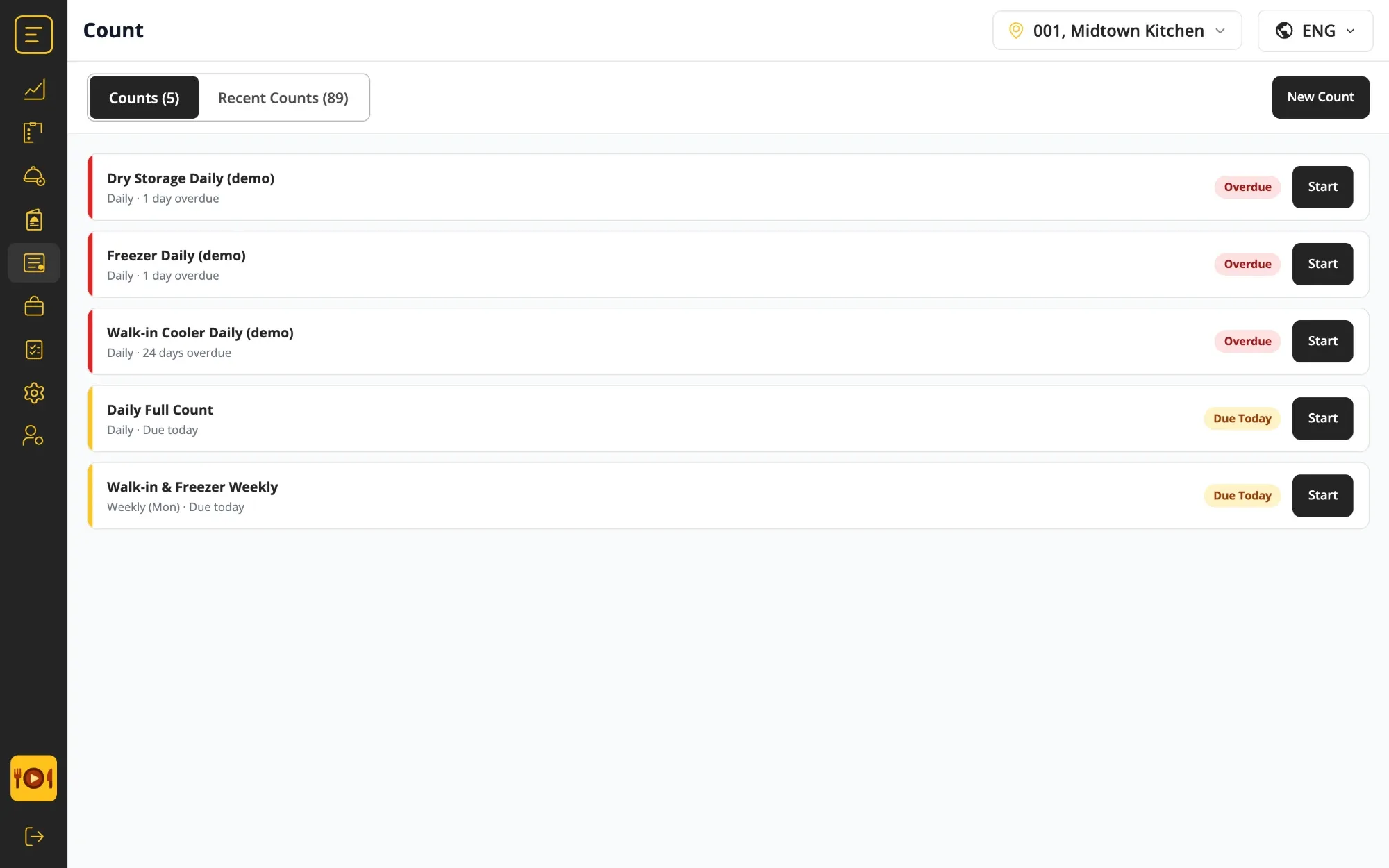
From the walk-in to the vendor and back.
-
Set up count sheets
Choose which items are counted, in which storage area and how often. Assign each sheet to the stores that run it.
-
Count by voice, area by area
The crew walks freezer, walk-in and dry storage and says what they see, in cases, pounds or each. It works offline and syncs later.
-
Review the suggested order
The system proposes quantities from the forecast, stock on hand, par levels and safety stock. Adjust what you need, then send.
-
Receive against the order
Check the delivery line by line against what was ordered, with an optional passcode for the person signing it in.
-
Transfer, approve, repeat
Move stock between stores with a reason. Orders over the rules you set wait for head-office approval before they go out.
Orders that start from the forecast, not from a blank sheet.
Because the count is current, the order can be too. Instead of a manager building each order from memory, the system proposes one from the sales forecast, stock on hand, par levels and safety stock. The manager adjusts, then sends. Lines that differ a lot from usual are highlighted, so the review takes minutes, not an hour.
-
Suggested, not blank
Forecast, on hand, par and safety stock set the starting quantities for every line.
-
Unusual lines flagged
A line far from the usual order is highlighted, so the review goes to what matters.
-
Approval where you want it
Orders that fall under the rules you set wait for head-office approval before they reach the vendor.
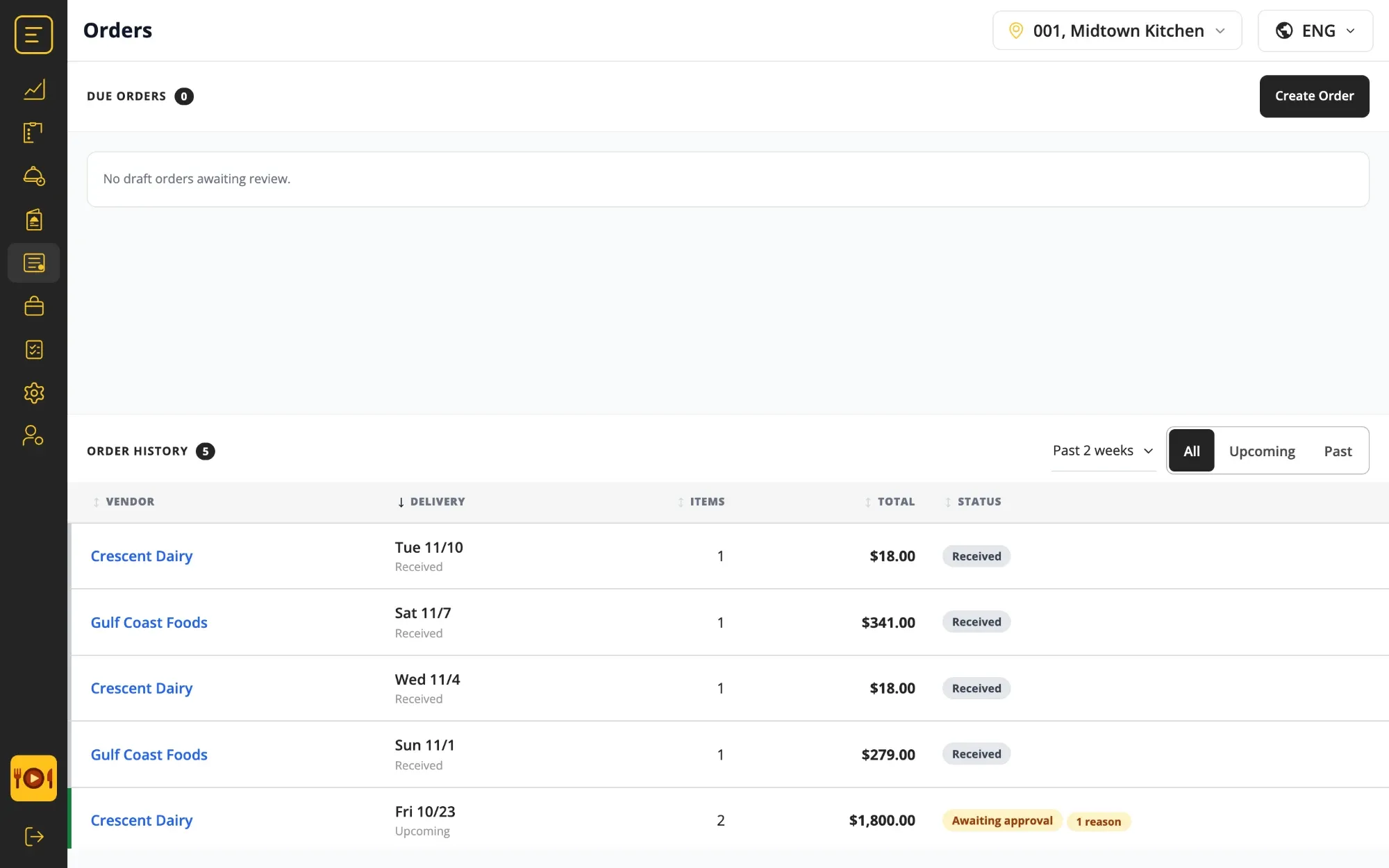
Every screen a store needs, and one for head office.
Inventory runs in the same PreciTaste app as Prep, Production and Checklists, on the same kitchen tablet. There is nothing new for the crew to install.
-
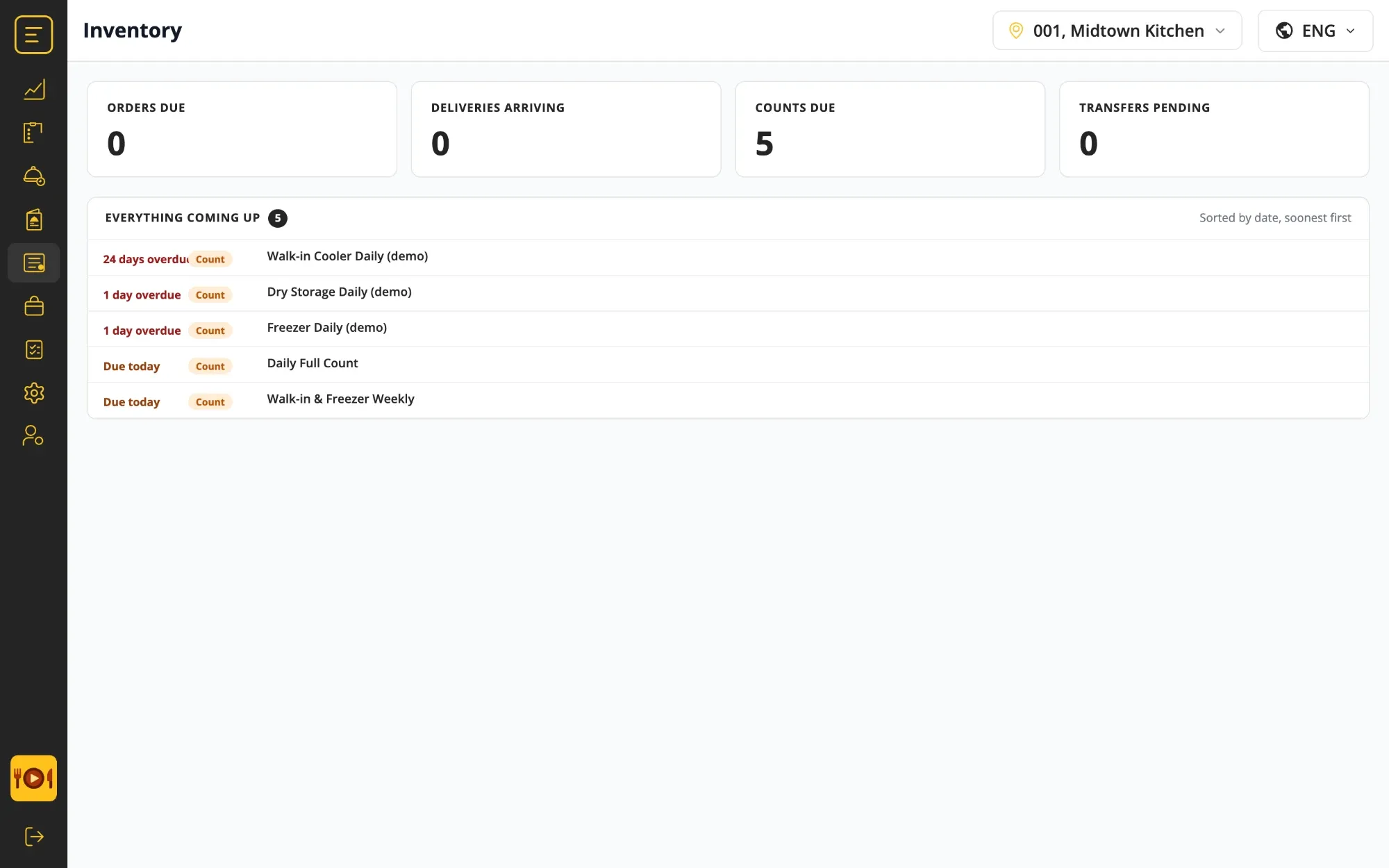
Overview
The landing page shows what needs attention first: orders due, deliveries arriving, counts due, transfers pending, and everything coming up sorted by date.
- Orders, deliveries, counts and transfers due
- Overdue items first
- One page per store
-
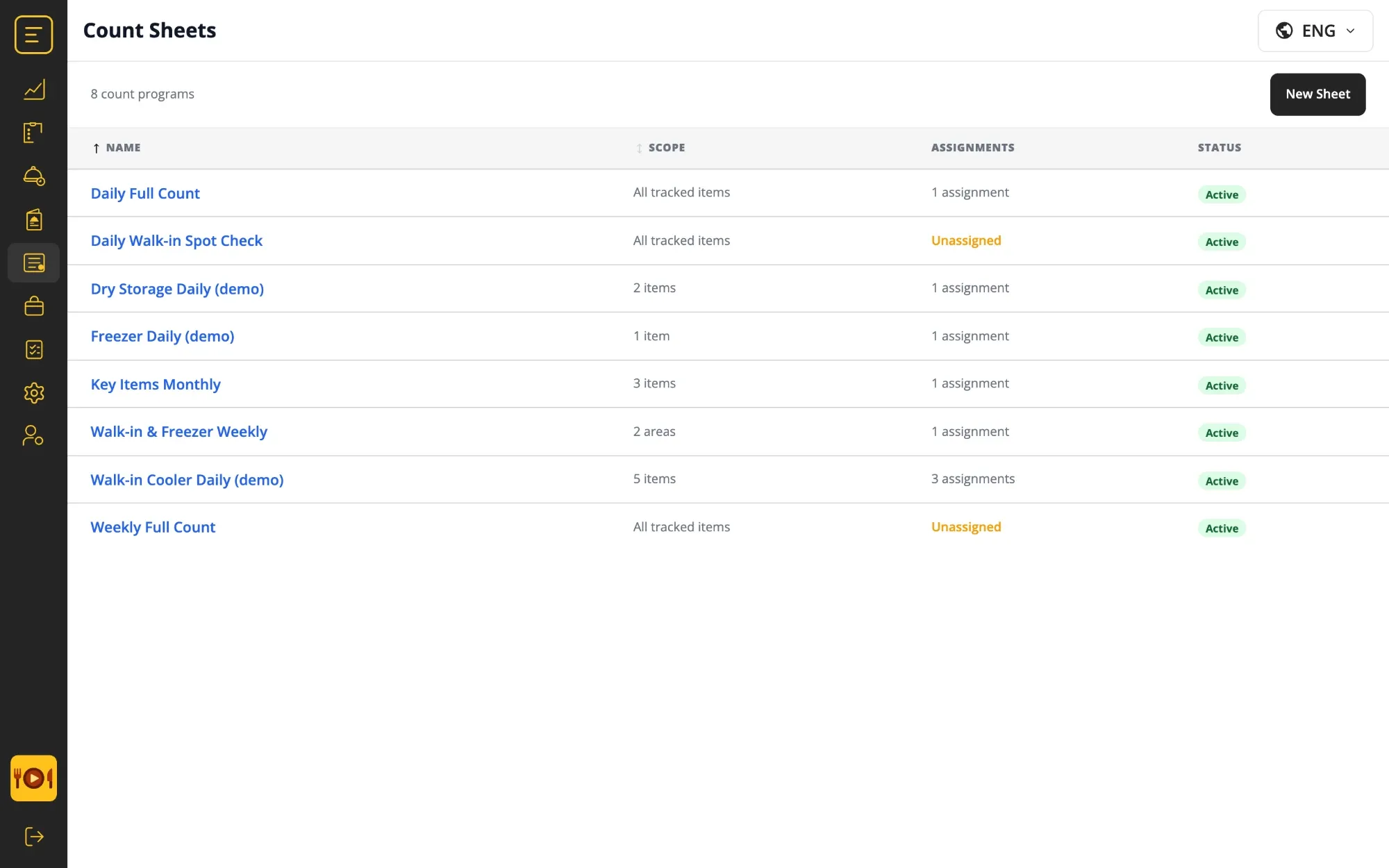
Count sheets
Decide what gets counted, where and how often: every tracked item, a storage area or a short list of key items, daily, weekly or monthly.
- Scope by item or area
- Daily, weekly or monthly
- Assigned per store
-
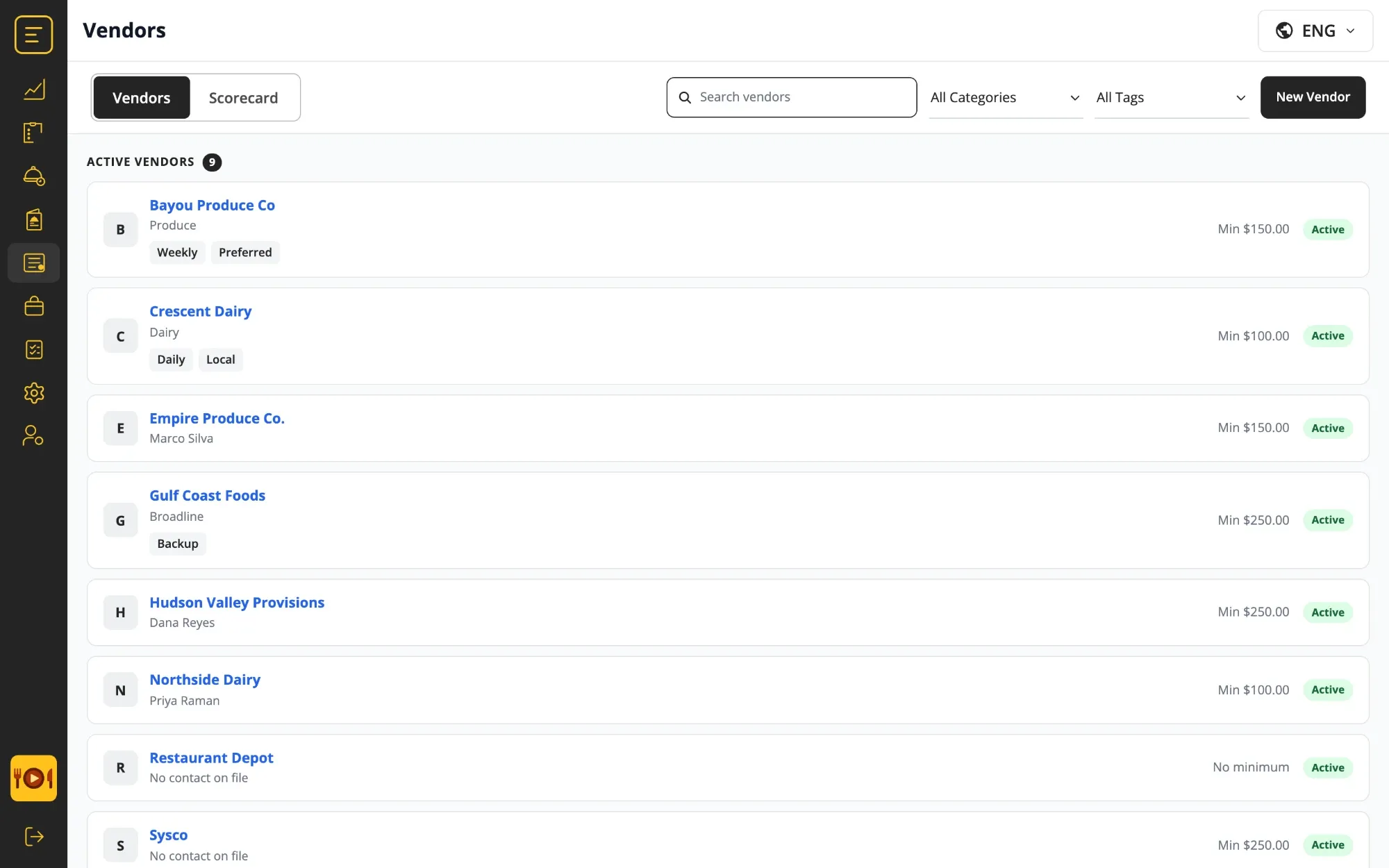
Vendors
Each supplier with its catalog, order and delivery days, cutoff times, category and tags. A flag shows when a price changed since the last order, and a scorecard shows how the vendor delivers.
- Pack size, price and SKU per item
- Order days, delivery days, cutoffs
- Price-change flag and scorecard
-
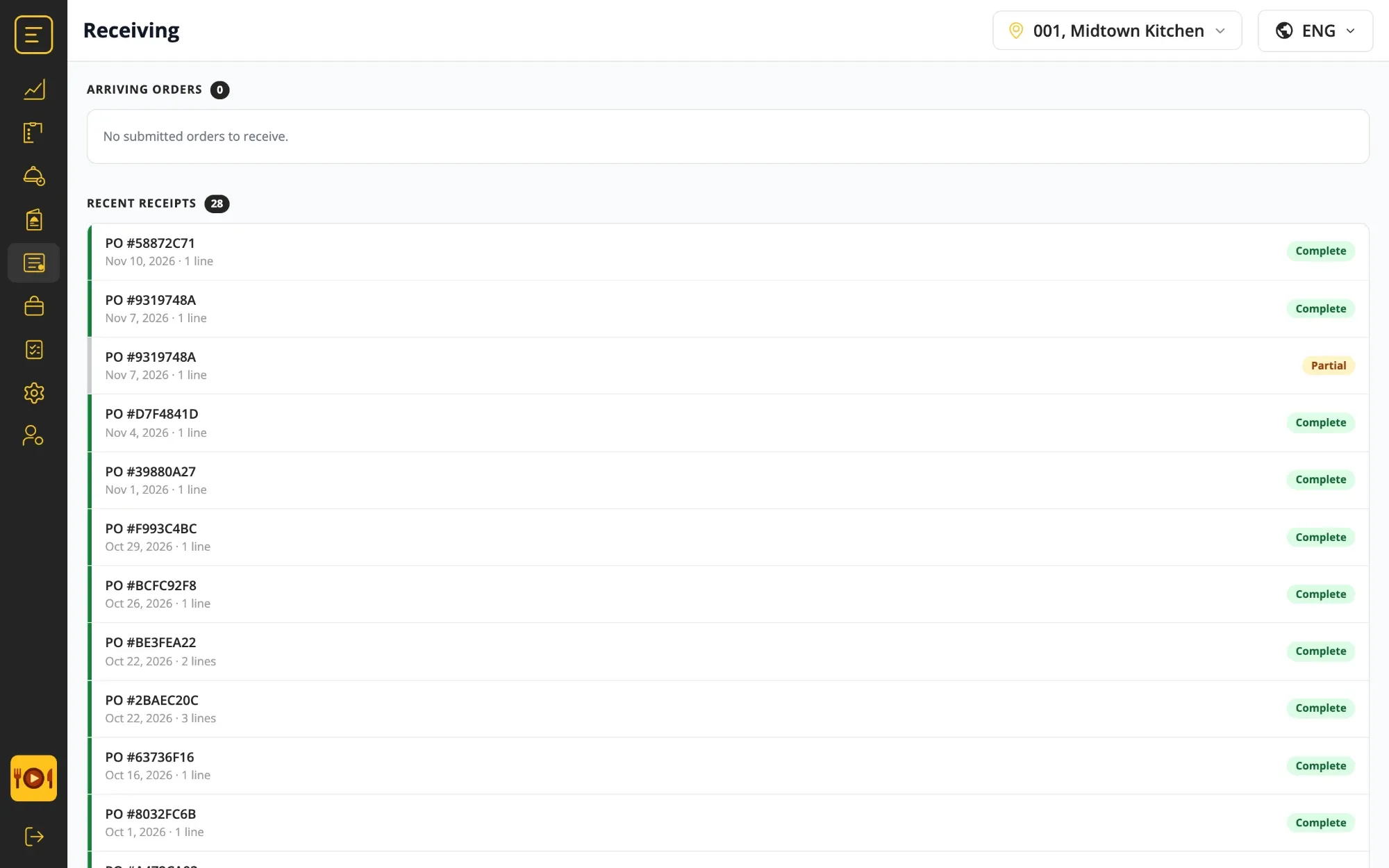
Receiving
Check each delivery against the order it belongs to and mark it complete or partial. An optional passcode records who signed it in.
- Line by line against the order
- Complete or partial receipts
- Optional passcode
-
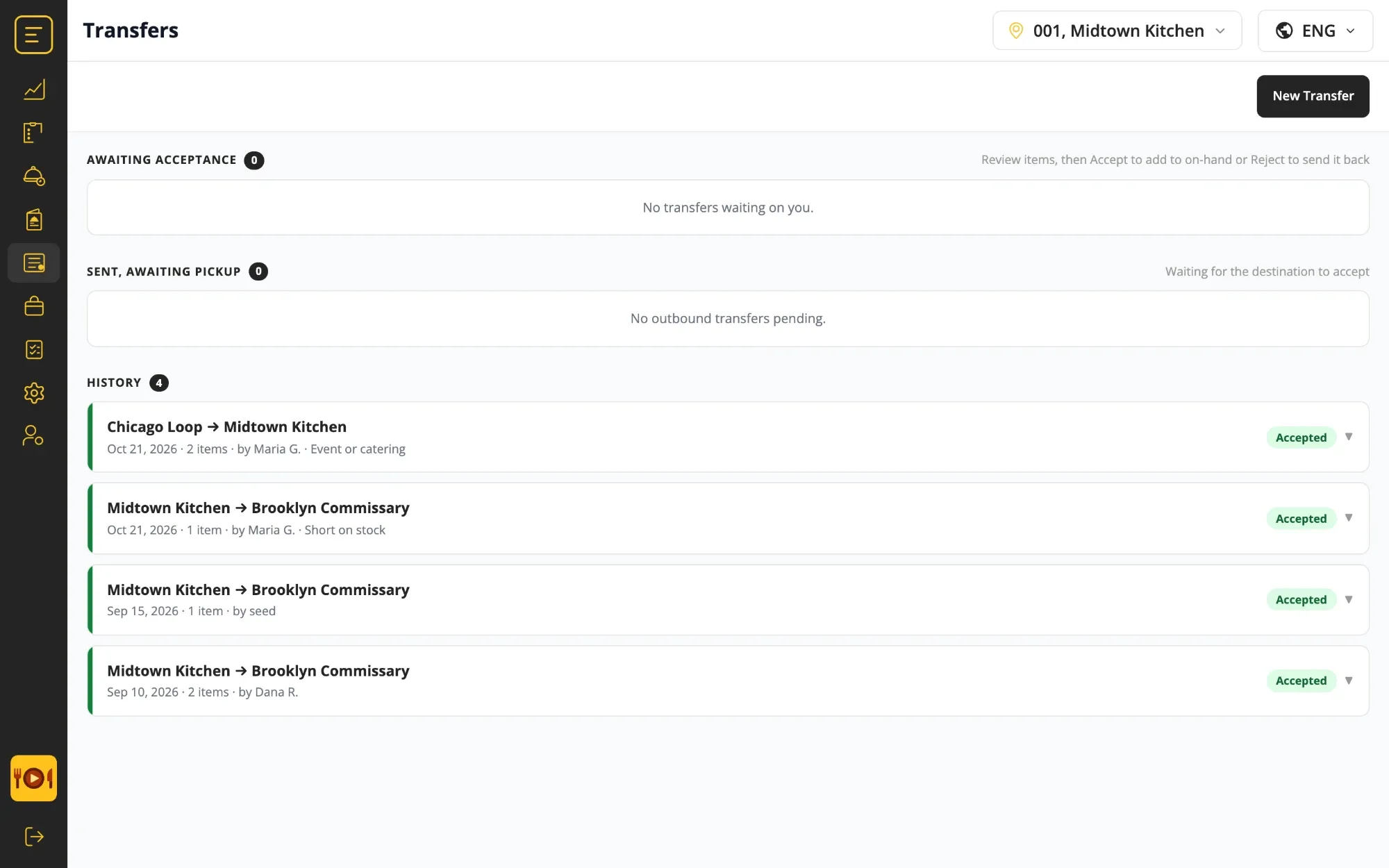
Transfers
Move stock between stores with a reason: short on stock, an event, a catering job. The destination accepts or rejects, and the history stays with both stores.
- Reason on every transfer
- Accept or reject at the destination
- Full history per store
-
Corporate
The head-office view across stores: approve orders, follow shipments and run the count program. Settings hold the inventory options, order-approval rules and email rules.
- Order approvals across stores
- Shipments and count program
- Approval and email rules set once
Questions about Inventory.
How does voice counting work?
The count sheet guides the crew through a storage area item by item. They say the quantity out loud, in the unit on the shelf, and the sheet fills in as they walk. Hands stay free for lifting and checking dates, and nothing has to be typed in afterwards.
How much time does it save?
Counting by voice cuts the time it takes to take inventory by more than 50% compared with a clipboard and later data entry. Those hours go back to prep, the line and guests.
Does counting work without Wi-Fi in the walk-in?
Yes. The count is completed on the tablet offline and syncs when the tablet is back online.
Can an item be counted in more than one unit?
Yes. An item can be counted in cases, pounds or each, in any combination, and the system converts to the unit it is ordered in.
How does the system suggest an order?
From four inputs: the sales forecast for the ordering period, stock on hand from the latest count, the par level and the safety stock set for each item. A manager reviews the suggestion, adjusts any line and sends it. Lines that differ a lot from the usual order are highlighted during the review.
How do count sheets work across stores?
A count sheet defines which items are counted, in which storage area and how often, daily, weekly or monthly, for example. Sheets are assigned to stores, so a weekly full count and a daily walk-in check can run side by side at every location.
Can head office approve orders before they go out?
Yes. Order-approval rules are set in Settings. An order that falls under a rule waits for approval in the Corporate view, which also shows shipments and the count program across all stores.
What does receiving check?
Each delivery is checked line by line against the order it belongs to and recorded as complete or partial. An optional passcode records who received it.
Does Inventory need a separate app?
No. It runs in the same PreciTaste app as Prep, Production and Checklists, on the same kitchen tablet.
Integrated tools.
Modules automatically integrated into the solution.


Complementary tools
Modules that can be added to the solution for enhanced optimization.
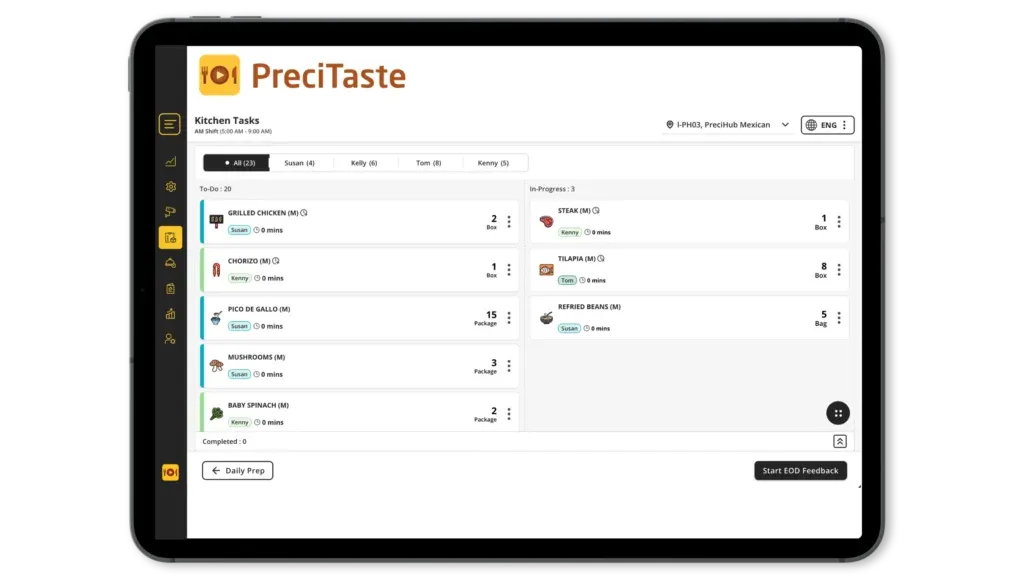

Take inventory in half the time.
See how voice counts, forecast-based orders, receiving and transfers run on one tablet.